
Blog Posts•Viewtracker - Analytics for Confluence
Stop Guessing What’s Working in Confluence: Meet the Viewtracker Agent for Rovo
TL;DR The Viewtracker Agent is a new Rovo Chat agent for Confluence Cloud that turns…
Sep 1, 2026

If you rely on Confluence for collaboration and workflows, your knowledge base must be regularly optimized to facilitate effective collaboration and productivity.
One tool improving the Confluence experience is Viewtracker – Analytics for Confluence. Beyond in-depth analytics, Viewtracker offers actionable insights for better teamwork.
Here are three ways Viewtracker can transform your business collaboration:
Effective collaboration is fundamental for any high-functioning team. When teams work together well, they achieve more than they could individually regarding innovation, problem-solving, and a shared sense of purpose.
Confluence Spaces are where your team works and interacts. Especially for remote teams, spaces are as important as a physical office. Viewtracker’s Space Report is a comprehensive analytics dashboard for Confluence spaces that offers detailed insights into engagement and performance.
Viewtracker gives you a clearer picture of how Confluence spaces are used. With deep insights into views, edits, and content creation, you can transform raw data into actionable intelligence. Use the Attachments section to understand how often specific files are accessed. You can also filter between current and archived content to maintain an organized, up-to-date knowledge base.
Viewtracker now includes enhanced Attachment Report features, offering file-type filtering and content clean-up guidance—helpful for storage management and compliance.
Are your teams engaging with the right content? The Overview section provides real-time data on user interaction, with graphs for views, edits, and content creation over for the specified date range. Identify high-performing pages using the Top Content section, or dig deeper into specific performance metrics via the Content & Usage Report.
Expanded filtering and detailed page-level data allow you to assess content engagement more thoroughly. You can also distinguish performance between pages and blog posts with flexible filter controls.
Workload visibility helps managers identify team champions and areas where support may be needed. In the Top Contributors section, you can view the top 10 contributors. If you want to see who’s driving content and modification efforts, the User section in the Content & Usage Report is the better choice for analyzing the different user activities in more detail.

Additionally, the Space Status Report provides historical metrics to track the evolution and health of a specific space—ideal for long-term content strategy planning.

The Analytics Report macro allows user to share the analytics data for specific spaces or pages with their audience. The Space Analytics Report Page Template helps to speed up the creation process of such a Confluence page.
Think of your Confluence site as a digital hub. When it’s well-structured and transparent, teams can find what they need, collaborate efficiently, and stay aligned. The Global Report delivers statistics and insights across your entire Confluence instance—ideal for site-wide strategy and reporting.
Viewtracker’s intuitive interface simplifies data consumption and sharing. The Global Report includes high-level summaries of user activity, top-performing spaces, attachments, and search behavior. Administrators and users with access permission to the Global Report can filter this data by space, content type, status, or user login.
Administrators control access to the Global Report, ensuring sensitive data stays protected. Compliance with GDPR, CCPA, nFADP, and other privacy regulations remains central. Use URL parameters to share filtered data views with selected team members or external stakeholders while maintaining content security.
The Global Report also includes Search Analytics that reveal how users interact with the Confluence search. These insights can guide improvements to content naming, tagging, and discoverability strategies—ultimately leading to a more intuitive knowledge base.
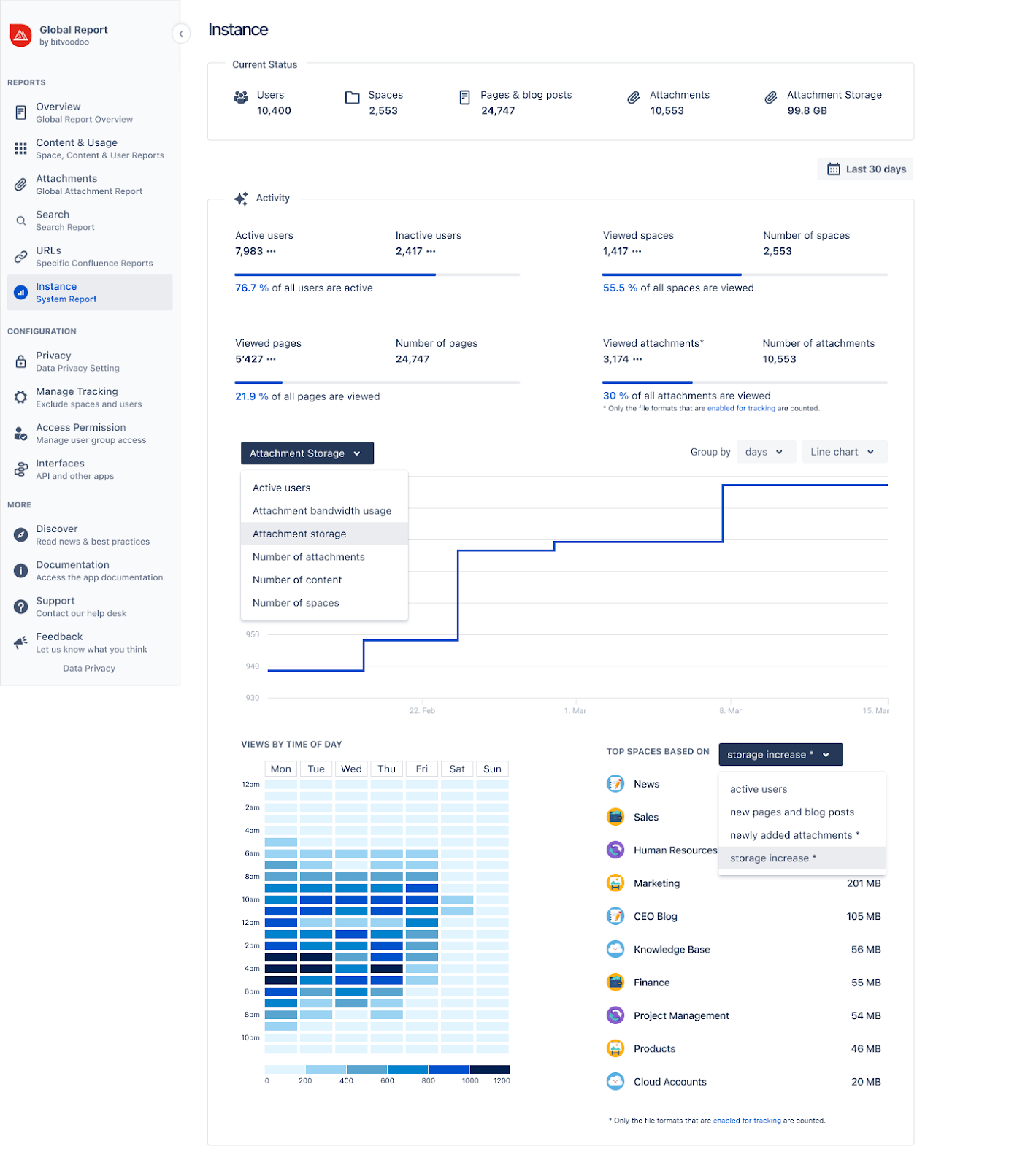
Can the number of licensed user accounts be optimized? Which spaces are using the most storage? On which days and times is the Confluence instance used the most or least? The Instance Report helps you answer those and other questions.
To measure the effectiveness of your Confluence site, focus on key performance indicators like the number of users, spaces, pages, and attachments. Tracking these metrics will help you understand how your team uses Confluence and identify areas of improvement.
Presenting performance numbers to stakeholders and upper management can be arduous without proper preparation. Viewtracker offers at-a-glance ROI metrics on your Confluence investments to help you save time processing ROI reports without all the hassle of data collection and analysis.
Tip: Regularly review these reports to align your content strategy with your team’s evolving needs.
How else can you optimize your workspace with Viewtracker? Check out these four practical use cases!
To take full advantage of Viewtracker, consider these advanced use cases:
Viewtracker—Analytics for Confluence is a powerful catalyst for propelling team collaboration and productivity within Confluence. However, as with any tool, its true power lies in using Confluence effectively by utilizing its insights. To fully appreciate Viewtracker’s utility, teams should regularly review the data, discuss the findings, and present ROI metrics to stakeholders.
However, teams must also be prepared to adapt their content, collaboration strategies, and resource allocation based on their data findings. With Viewtracker’s dynamic analytics capabilities, your team can transform its Confluence experience into a more collaborative, productive, and data-driven one.